E-mail:Summer@fsorgin.com Telephone: +86 151-1302-4743
- All
- Product Name
- Product Keyword
- Product Model
- Product Summary
- Product Description
- Multi Field Search
English


FS45-005R
| Quantity: | |
|---|---|


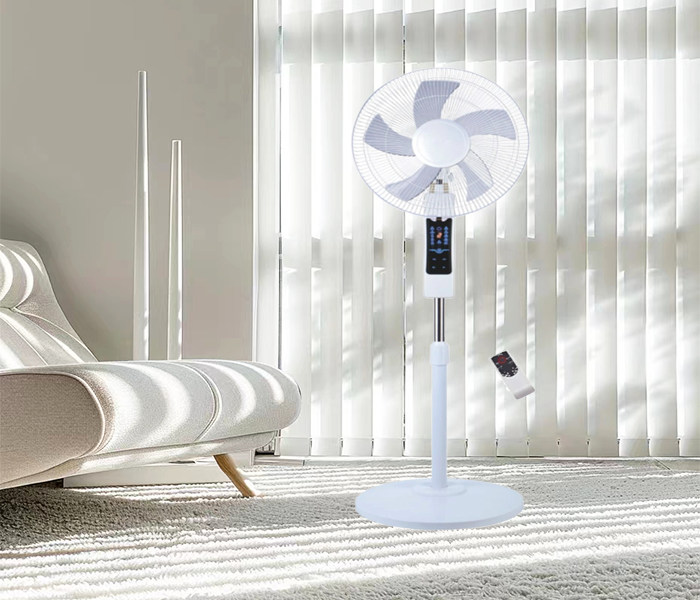
FS45-005R is a remote control LED display stand fan that is equipped with a remote control for convenient operation. It also features an LED display that shows information such as fan speed, timer settings, and mode selection. The stand fan is typically adjustable in height and may have oscillating capabilities for wider air circulation. indoor spaces.
Product Advantage
1.Convenience: The remote control allows for easy operation from a distance, eliminating the need to manually adjust settings.
2.Customization: The LED display provides information on fan speed, timer settings, and mode selection, allowing for personalized comfort.
3.Timer function: The timer function allows you to set the fan to turn off automatically after a certain period, helping to save energy.
4.Multiple speed settings: Stand fans with LED displays typically offer multiple speed settings, allowing you to adjust the airflow to your desired level of comfort.
5.Portable: The stand fan is portable and can be easily moved from room to room as needed.
6.Modern design: The LED display adds a modern and sleek look to the fan, enhancing the aesthetic appeal of the room.
| Product Name | 18inch stand fan |
| Model No | FS45-005R |
| Voltage | 220V |
| Frequency | 50Hz |
| Power | 50W |
| Motor | 71*16 Aluminum Motor or Copper Motor |
| Grill | Line Grill |
| Blades | 5AS blades |
| Plug | two round Plug |
| Color | Black or according the order |
| Base | 3KG Round base |
| Body | ABS material |
| Height | 140cm |
| Carton | 1pcs/color/white/brown carton |
| Carton Size | 54*15*59cm |
| Container | 40''HQ |
| Quantity | 1400pcs/40hq |
1.Waiting rooms: Stand fans with LED displays are used in waiting rooms of medical offices, salons, and other establishments to keep guests comfortable while they wait.
2.Event venues: These fans are used in event venues such as conference centers, banquet halls, and outdoor venues to provide cooling for guests.
3.Restaurants and cafes: Stand fans with remote control and LED display are used in restaurants and cafes to help keep diners comfortable while they enjoy their meals.
4.Hotels: These fans are used in hotel rooms and common areas to provide guests with a comfortable and customizable cooling option.
5.Libraries: These fans are used in libraries to provide cooling and improve air quality for patrons and staff.
1.Assembly: If the fan requires assembly, follow the manufacturer's instructions to put the fan together properly.
2.Power source: Plug the fan into a power outlet and ensure that it is securely connected.
3.Remote control: Insert batteries into the remote control and ensure that it is working properly.
4.Power on: Press the power button on the fan or the remote control to turn the fan on.
5.Adjust settings: Use the remote control to adjust the fan settings, such as fan speed, oscillation, timer, and mode selection. The LED display will show the current settings.
6.Positioning: Place the fan in the desired location, ensuring that it is not obstructed and has enough space to circulate air effectively.
7.Height adjustment: If the fan has an adjustable height feature, adjust it to the desired level for optimal airflow.
8.Oscillation: If the fan has an oscillating feature, activate it to distribute air more evenly throughout the room.
9.Timer function: Set the timer if desired to automatically turn off the fan after a specified period.
10.Power off: When you are finished using the fan, press the power button on the fan or remote control to turn it off.